You usually find out you needed a zero-downtime plan after the first outage: checkouts fail, logins loop, webhooks back up, and your inbox fills up faster than your monitoring dashboard.
A site migration does not need drama. It needs controlled change, clear cutover criteria, and a rollback that works under pressure. This guide focuses on the operational path that keeps users on the site while you move hosting, infrastructure, or your entire stack.
What “zero downtime” really means
Zero downtime is not magic. It is a strategy that avoids hard dependency on one environment at one moment in time.
Practically, it means users can keep loading pages and completing critical actions during the move. You might still have risk windows where a small subset of requests hit an old node, or where writes briefly require special handling. If your application accepts writes (orders, form posts, account changes), the real work is protecting data consistency while traffic gradually shifts.
If your site is read-heavy and changes rarely, zero downtime is easier. If your site is write-heavy, uses background jobs, or processes payments, it is still doable, but you will need stricter sequencing.
Pick the migration pattern that fits your stack
There are two common patterns. Choose one based on how your app handles state.
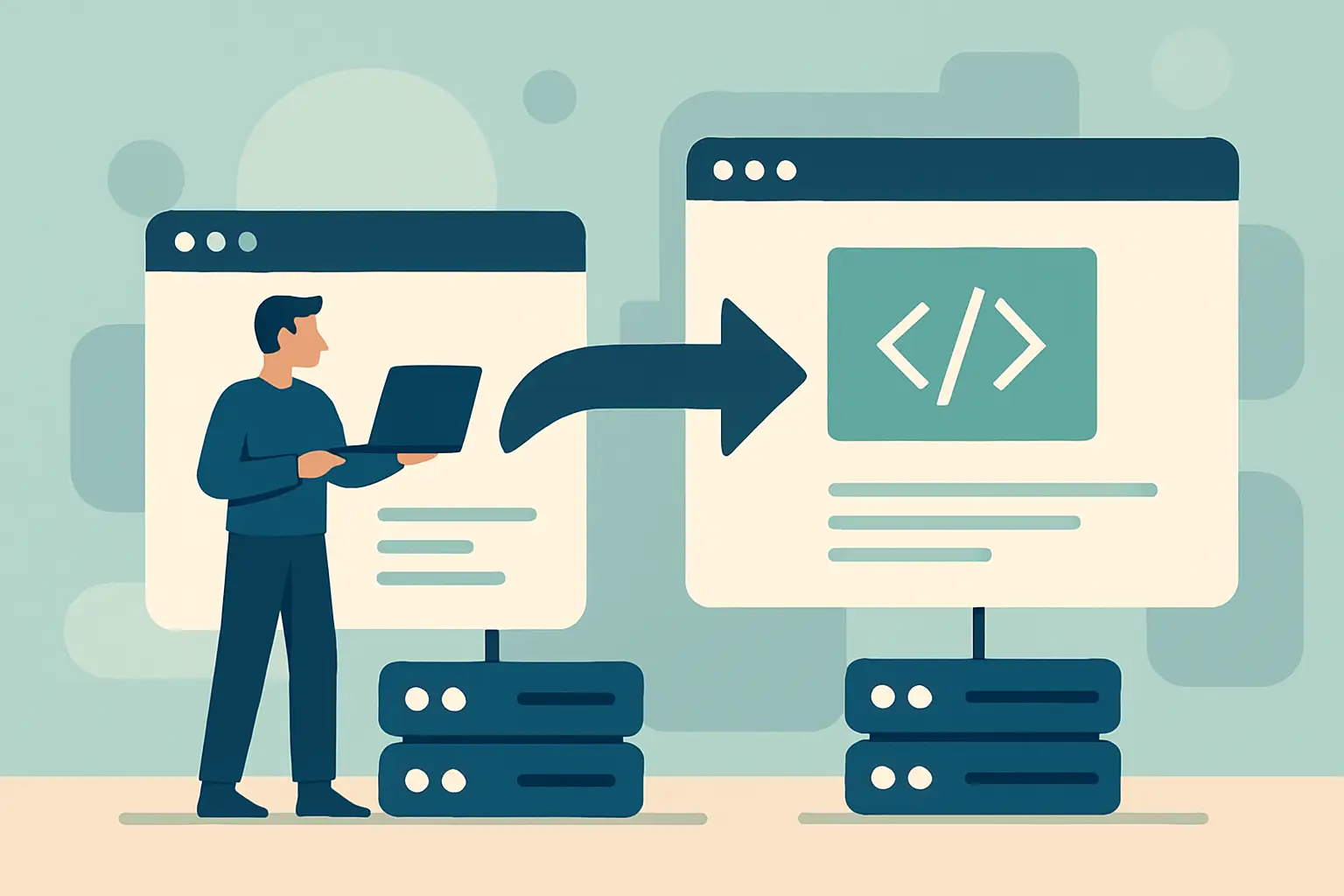
Blue-green cutover means you build a complete new environment (green) while production stays live (blue). You validate green, then switch traffic. This is the default for most web migrations because it gives you a clean rollback: point traffic back to blue.
In-place replacement means you modify the existing environment (upgrade OS, move disks, change web server config) while traffic continues. This can work for simple sites, but rollback is weaker. If the change breaks, you are restoring from backups under load.
For a guide to zero downtime site migration, assume blue-green unless you have a hard constraint that prevents it.
Pre-migration: reduce the DNS blast radius
DNS is the most common reason “zero downtime” becomes “why is half the country seeing the old site.” You want DNS changes to propagate quickly when it matters.
At least 24 to 48 hours before cutover, lower the TTL on the records you plan to change. For most sites, that is the apex A/AAAA record and the www record (or CNAME).
Lowering TTL does not force instant propagation, but it reduces how long resolvers are allowed to cache the old answer. Do it early so existing caches expire naturally.
Also confirm you control:
- Your authoritative DNS provider account
- Domain registrar access (in case DNSSEC or nameserver changes come into play)
- Certificate issuance method (DNS validation vs HTTP validation)
If you are moving DNS providers as part of the migration, treat that as a separate project. Change one variable at a time if you want predictable behavior.
Build the new environment to match production, not your hopes
Clone production behavior before you clone production data.
Match versions and settings for:
- Web server and runtime (Nginx/Apache, PHP, Node, JVM)
- Database engine and major version
- Cache layer behavior (Redis/Memcached) and eviction policy
- Background worker setup (queues, cron, scheduled jobs)
If you want to upgrade versions, do it either well before migration day or well after. Combining “move servers” with “upgrade everything” is how small issues turn into long incidents.
Provision monitoring on the new environment now, not after cutover. You want baseline performance numbers while it is still isolated.
Data migration: plan for writes
For static sites, you can copy assets and deploy. For dynamic sites, you need a plan for database writes and file uploads.
Databases
The lowest-friction approach is replication from old to new. The details depend on your database, but the goal is the same: new stays in sync until you switch.
If replication is not possible, you can do a bulk dump/restore and then apply incremental changes with binlogs or change capture. If you cannot do that either, you are left with a brief write pause at cutover. That can still be close to “zero downtime” for users if you degrade gracefully, but it is not the same as continuous writes.
Decide early whether you can support:
- Dual writes (app writes to both old and new)
- Read-only mode at cutover (temporary)
- Queueing writes (accept request, process after cutover)
Dual writes increase complexity and failure modes. Replication is usually safer if supported.
File uploads and media
User uploads and generated files are another common mismatch.
If you store uploads on local disk, you must synchronize changes during the migration window. Options include:
- Move to object storage before migration
- Use rsync in a loop and then do a final short sync at cutover
- Temporarily route uploads to a shared mount used by both environments
Avoid a design where old receives uploads while new serves pages, unless you are certain your code can read from both.
Validation: test like traffic will punish you
Do not rely on “it loads.” Validate the parts that break quietly.
Start with functional checks: login, checkout, password reset, contact forms, webhook endpoints, admin actions. Then check behavior under load: response times, error rates, database connections, cache hit rate.
If you have a staging dataset that is too clean, production will still surprise you. Validate against a recent copy of production data if you can.
A practical step that catches a lot: update your local hosts file or use an internal DNS override to point your domain to the new IP. This lets you test with real URLs and cookies without public traffic.
Cutover design: move traffic in a controlled way
The cutover is a sequence, not a flip.
Certificates and HTTPS
Have certificates installed and tested on the new environment before any DNS change. Confirm that:
- The full chain is correct
- TLS versions and ciphers are acceptable for your user base
- HTTP to HTTPS redirects behave the same as production
If you use HSTS, be extra careful. A bad HTTPS configuration under HSTS turns into a user-visible outage that you cannot quickly fix with a redirect.
Background jobs and schedulers
This is where double-processing happens.
If both environments run workers, you can send duplicate emails, double-charge, or process the same webhook twice. Decide which environment owns workers during the transition. Commonly, keep workers on the old environment until the app layer is cut over, then move workers once the new environment is confirmed stable.
If your queue is shared, you can switch workers without switching the web tier, but do it deliberately.
Switching traffic
If you have a load balancer or proxy layer you control, you can shift traffic gradually: 5%, 25%, 50%, 100%. This gives you early warning.
If DNS is your only lever, you still can stage the change by moving low-risk subdomains first or by cutting over during a low-traffic window and watching metrics closely. DNS cutovers are less precise, so your rollback needs to be fast and practiced.
Rollback: treat it as required, not optional
A rollback plan is not “restore from backup.” It is “return users to the last known good path.”
For a blue-green migration, rollback usually means pointing traffic back to the old environment. But if you have accepted writes on the new database, rollback can create data divergence.
Before cutover, define:
- What conditions trigger rollback (error rate, payment failures, latency)
- Who makes the call
- How you handle data if you roll back after writes began
In some cases, you may choose to keep the new database as the source of truth even if you roll back the web tier. That is viable if the old app can talk to the new database safely. If it cannot, you need a decision point: either pause writes briefly, or accept that rollback is limited after a certain moment.
Post-cutover: verification that protects revenue
After traffic shifts, verify from the outside, not just from your server.
Check:
- Homepage and key landing pages
- Login and checkout completion
- Email delivery and password resets
- Webhook deliveries and API consumers
- Search and internal navigation
Then watch your metrics for at least one full business cycle if possible. Some failures only appear after scheduled jobs run or after caches warm.
Keep the old environment available but isolated for a defined period. Do not leave it running indefinitely with open access. If it must stay up for rollback, lock down admin paths and ensure logs and monitoring are still active.
Common failure modes and how to avoid them
Most “zero downtime” failures are predictable.
DNS and mixed caches: Some users hit old, some hit new. Lower TTL early and keep both environments compatible during the overlap.
Session mismatch: If sessions are stored locally, users get logged out or stuck. Move sessions to a shared store (database or Redis) that both environments can read, at least temporarily.
Hardcoded IPs and callbacks: Payment providers and OAuth apps may pin IPs or callback URLs. Update allowlists and verify callbacks before cutover.
Cron duplication: Two environments running scheduled jobs leads to duplicate actions. Ensure only one set of schedulers is active at any time.
Email and DNS SPF/DKIM drift: If you change mail routing, align DNS records before you switch sending hosts.
Where TurboHost fits (if you want fewer moving parts)
If you are migrating onto infrastructure where you can spin up a parallel environment quickly, the blue-green approach is simpler to execute. Providers like TurboHost (https://turbo.host) are typically used in this phase to stand up the new target environment, validate performance, and then cut traffic over with a rollback path.
Closing thought
Treat your migration like a production deploy with one difference: you are moving the floor while people are still walking on it. If every step has an owner, an observable signal, and a reversal, the cutover becomes routine – and routine is the real goal.